
For family professionals
Your whole caseload, and what needs you first.
Free for attorneys, mediators and parenting coordinators. See what changed in every case, read the record exactly as written, and export court-ready exhibits anyone can check.
Free, with no seats or per-case fees. Works in any browser.

[01] Why professionals switch
Built for the problems you already know.
If you've used a co-parenting portal before, you know these.
A 400-page PDF the night before mediation
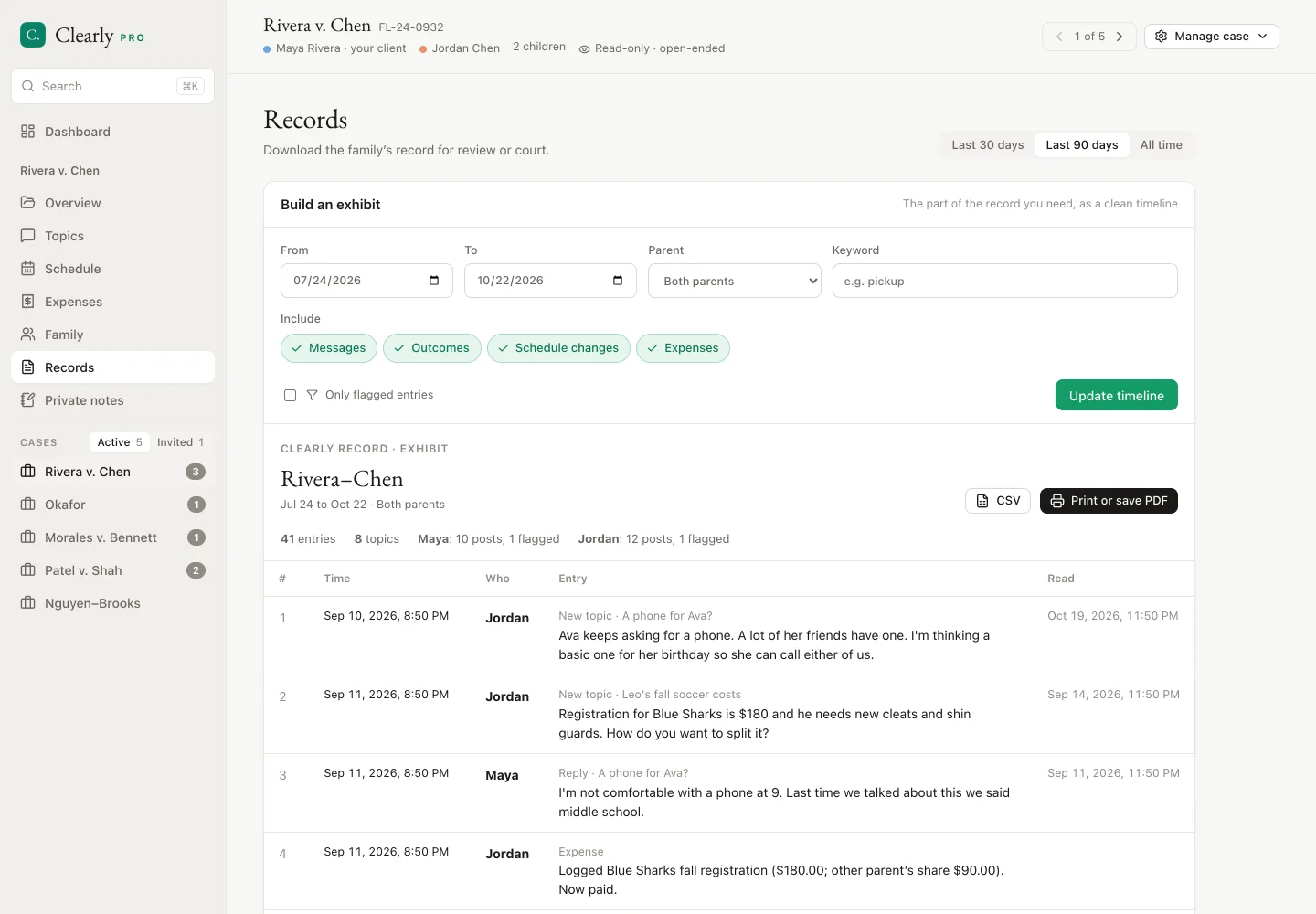
Build the exhibit you need.
Filter by dates, parent, keyword or flagged entries, and get a numbered, court-ready PDF with a document ID on every page, or a spreadsheet.
Clicking into every family to see what changed
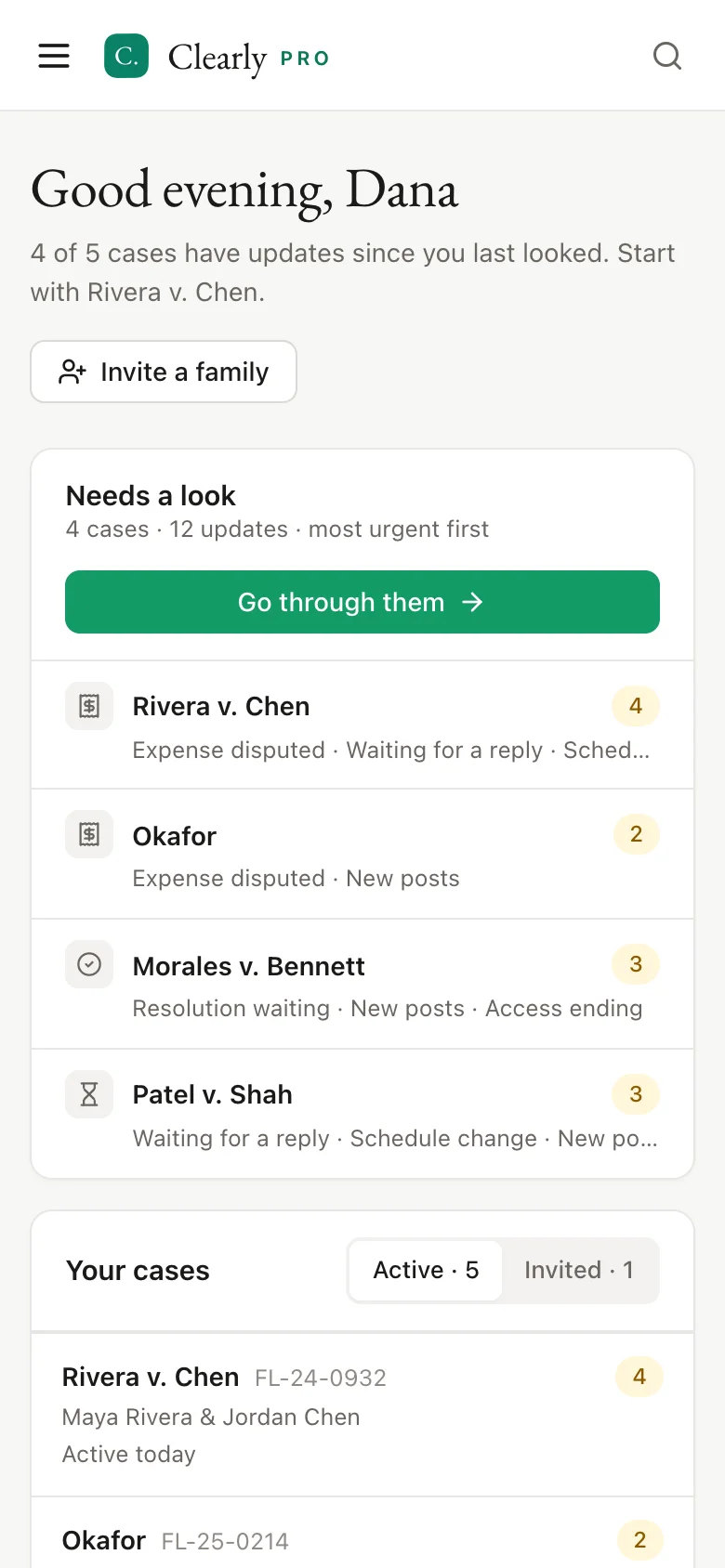
One list of what needs you.
Waiting replies, expense disputes, unaccepted resolutions and schedule changes across every case, most urgent first.
All-or-nothing access to a family's account
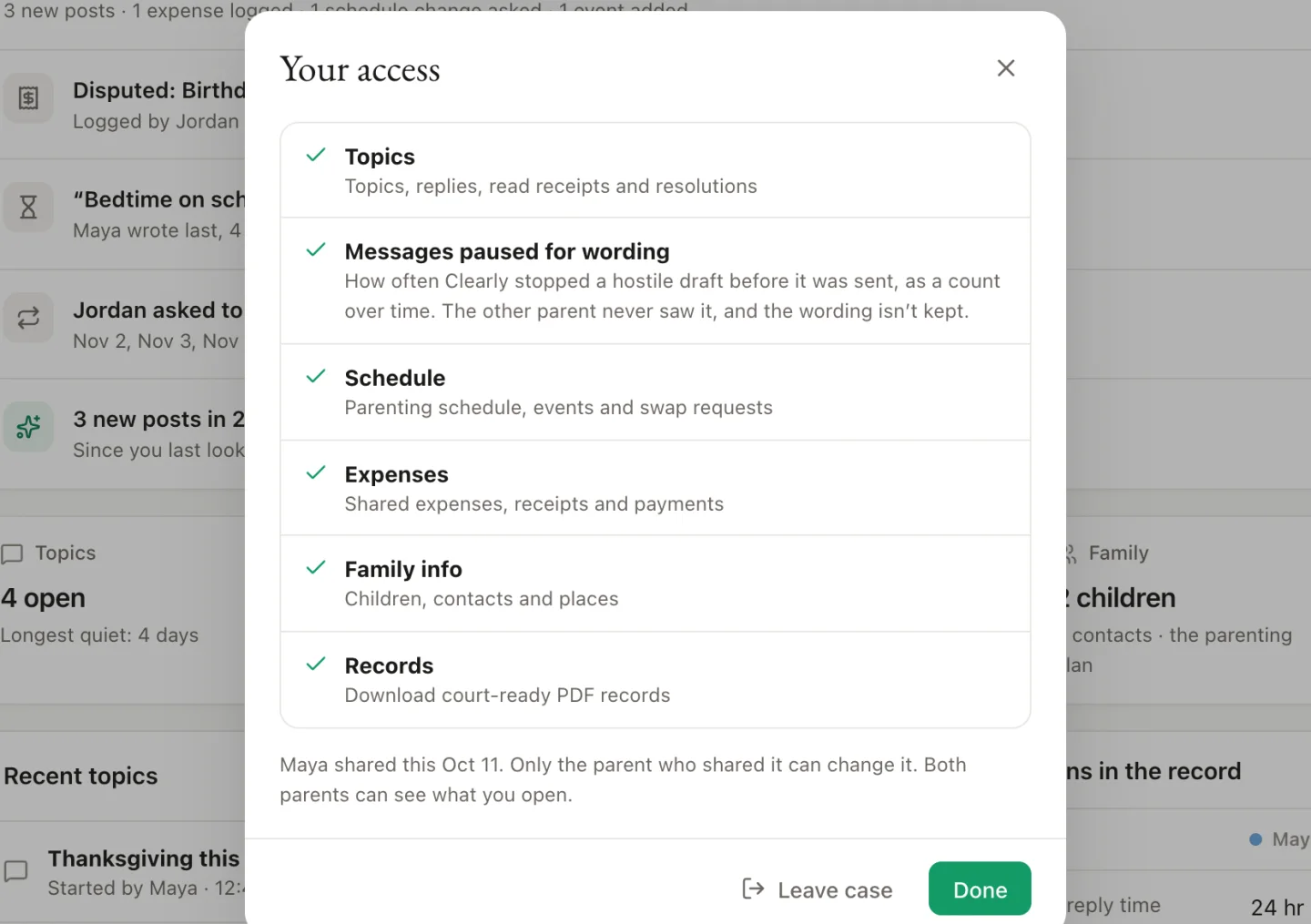
Parents choose each area.
Topics, schedule, expenses, family info and records are shared one by one, for as long as the parent chooses.
Software that feels twenty years old
Fast, calm and modern.
Search every case and message with ⌘K, step between families, and use it on any device with nothing to install.
[02] Court-ready records
Records and exhibits that hold up, and anyone can check.
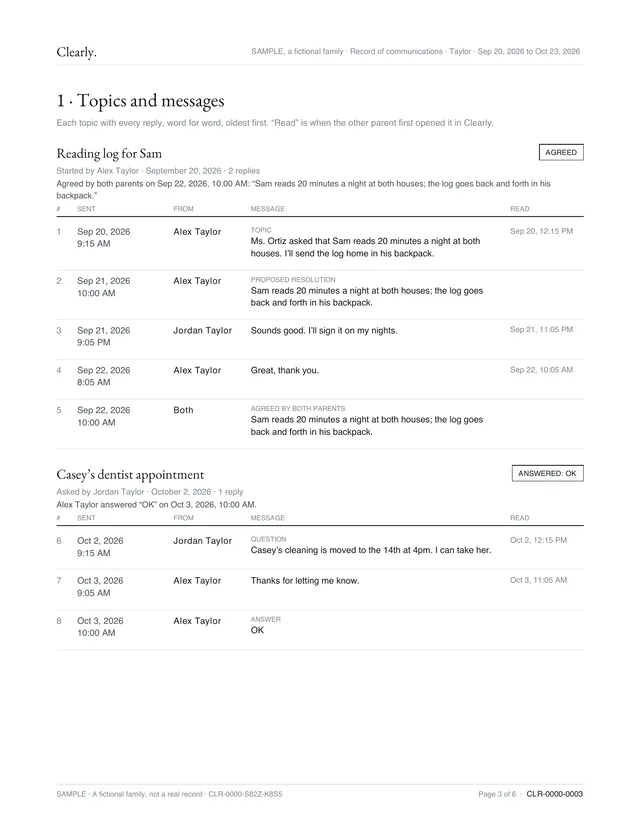
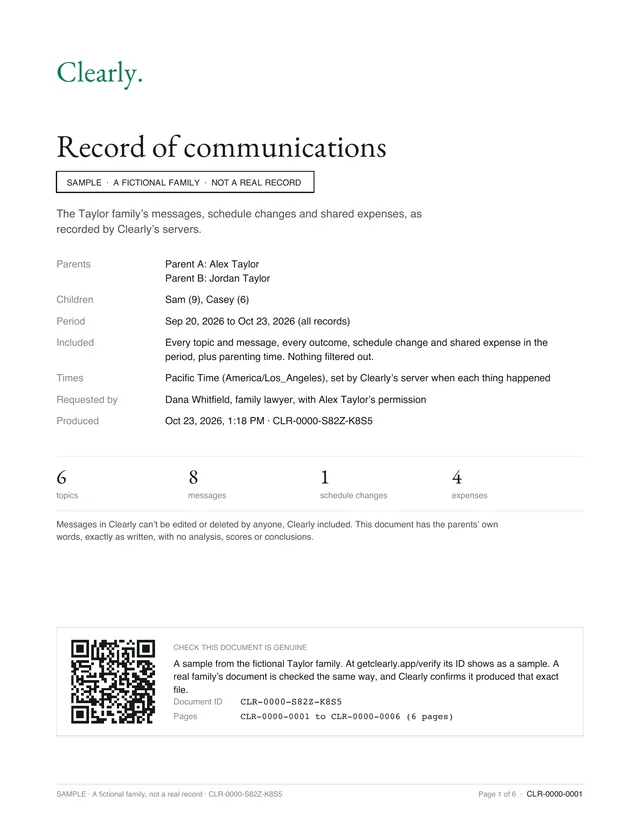
The same document whether you or a parent exports it, from the full record to a single topic. Only “Requested by” changes.
An ID and a page number on every page
Each document gets its own ID, and every page is numbered from it (CLR-7KQ4-0003), so a page can be cited in a filing or at a hearing.
Checkable by anyone
Scan the code or drop the PDF into getclearly.app/verify. Clearly confirms it made that exact file and that nothing in it has changed. The file is checked in the browser, never uploaded.
Numbered, timed and read
Every entry is numbered, timed by Clearly’s server in the family’s time zone, and shows when the other parent first opened it.
Parenting time and money, summed up
Overnights with each parent from the schedule and accepted changes, how each topic stands, and who owes whom.
Says exactly what it covers
The cover states the period, the time zone and exactly what was included. An “About this record” page explains how it was made.
Ready for the court file
Children can appear as initials, and a parent can sign the included declaration if the court asks for one.
Each case
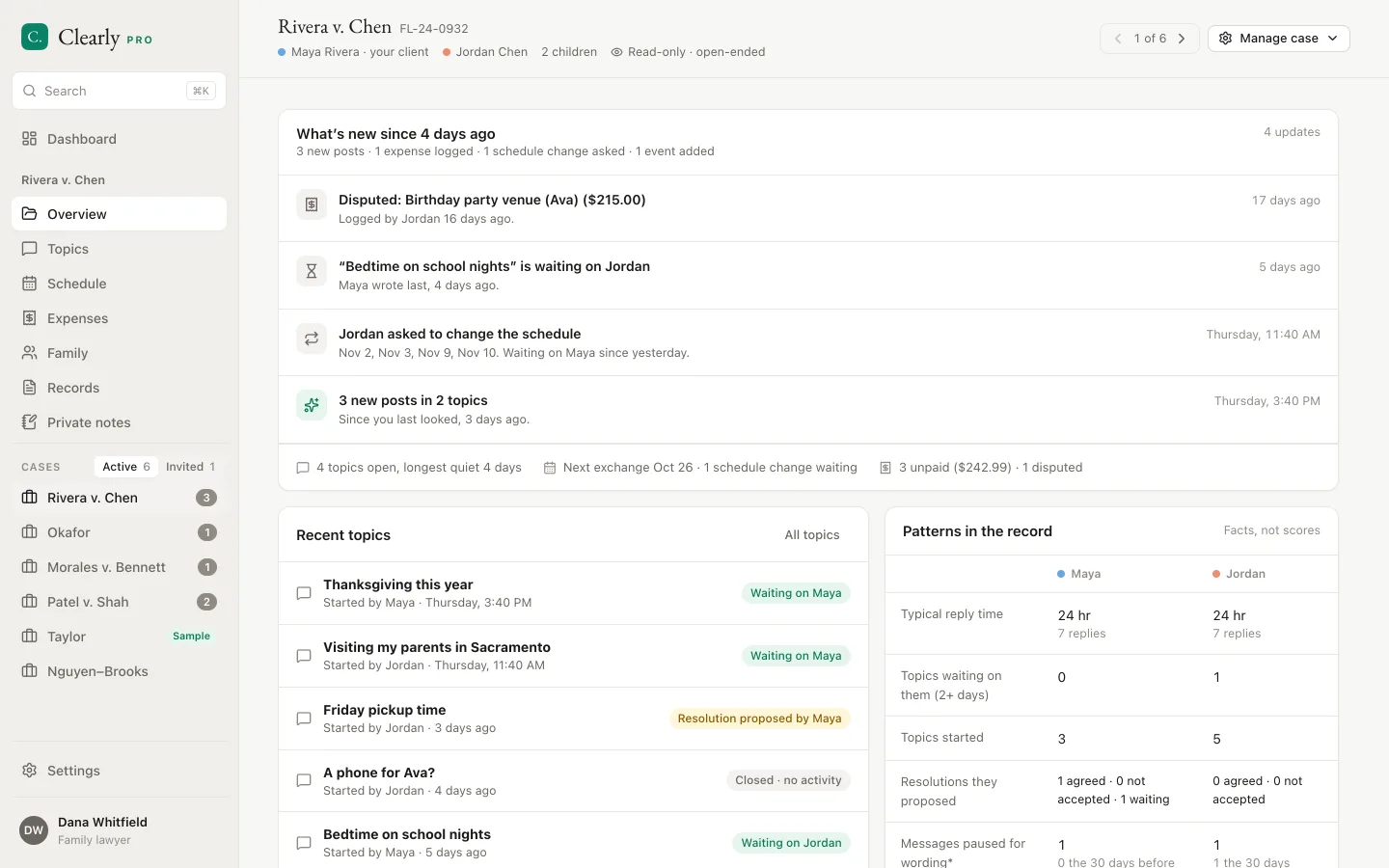
Open a case, see what's new first.
What changed since your last visit comes first, then where the case stands in one line, recent topics and the patterns in the record.
- Facts, never scores. Clearly draws no conclusions
- Your own case names and matter numbers
The record
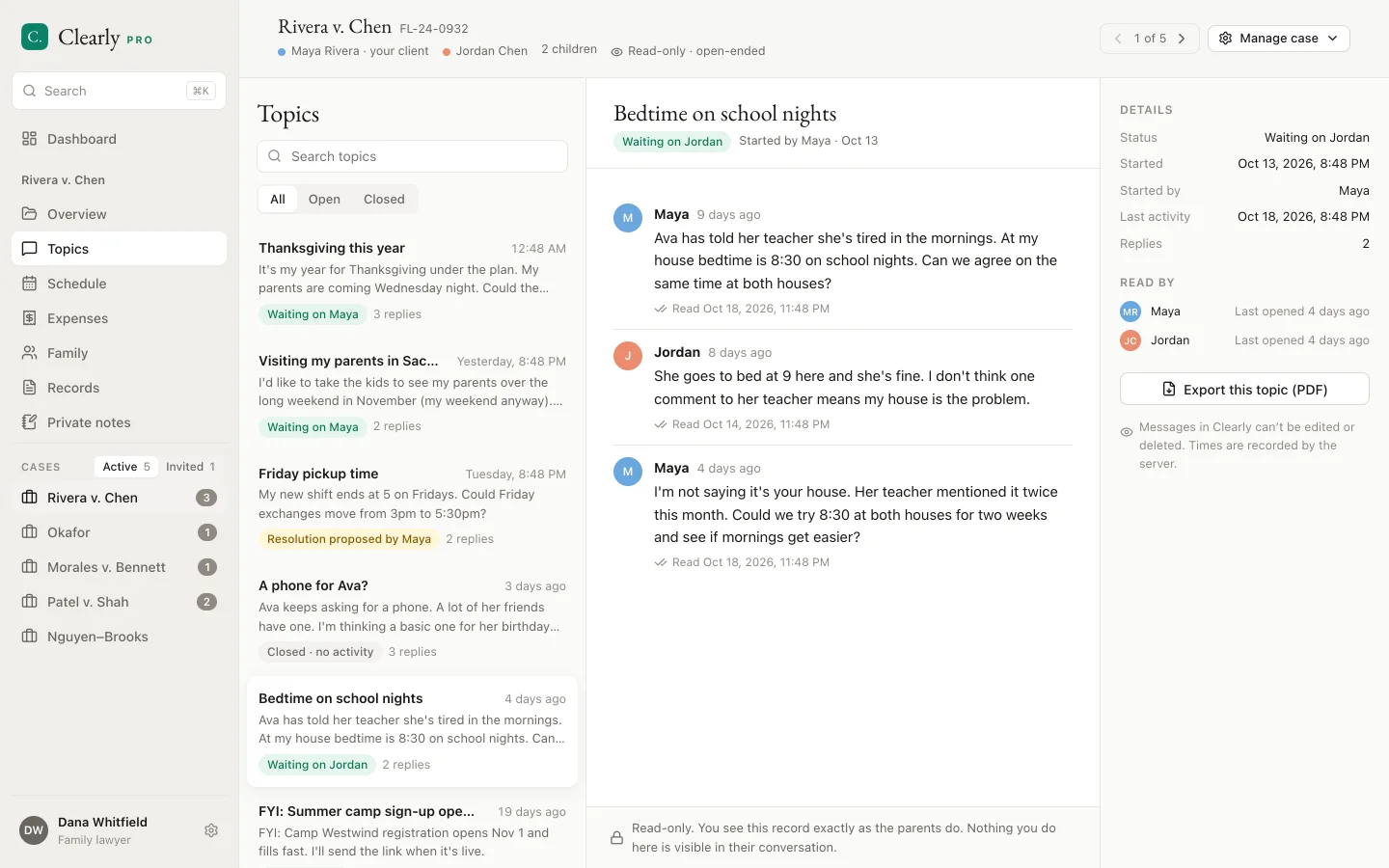
Every word, exactly as it was sent.
Every topic in order, as the parents wrote it. Nothing can be edited or deleted, and times come from Clearly's server.
- Read receipts on every message
- Export any topic as its own PDF
Exhibits
From record to exhibit in a minute.
Narrow the record to what matters. Every entry is numbered, timed by the server and shows when it was read.
- Filter by dates, parent, keyword or flagged entries
- Messages, outcomes, swaps and expenses in one timeline
- The full record as one PDF, or a spreadsheet
- A document ID and page number on every page
Search
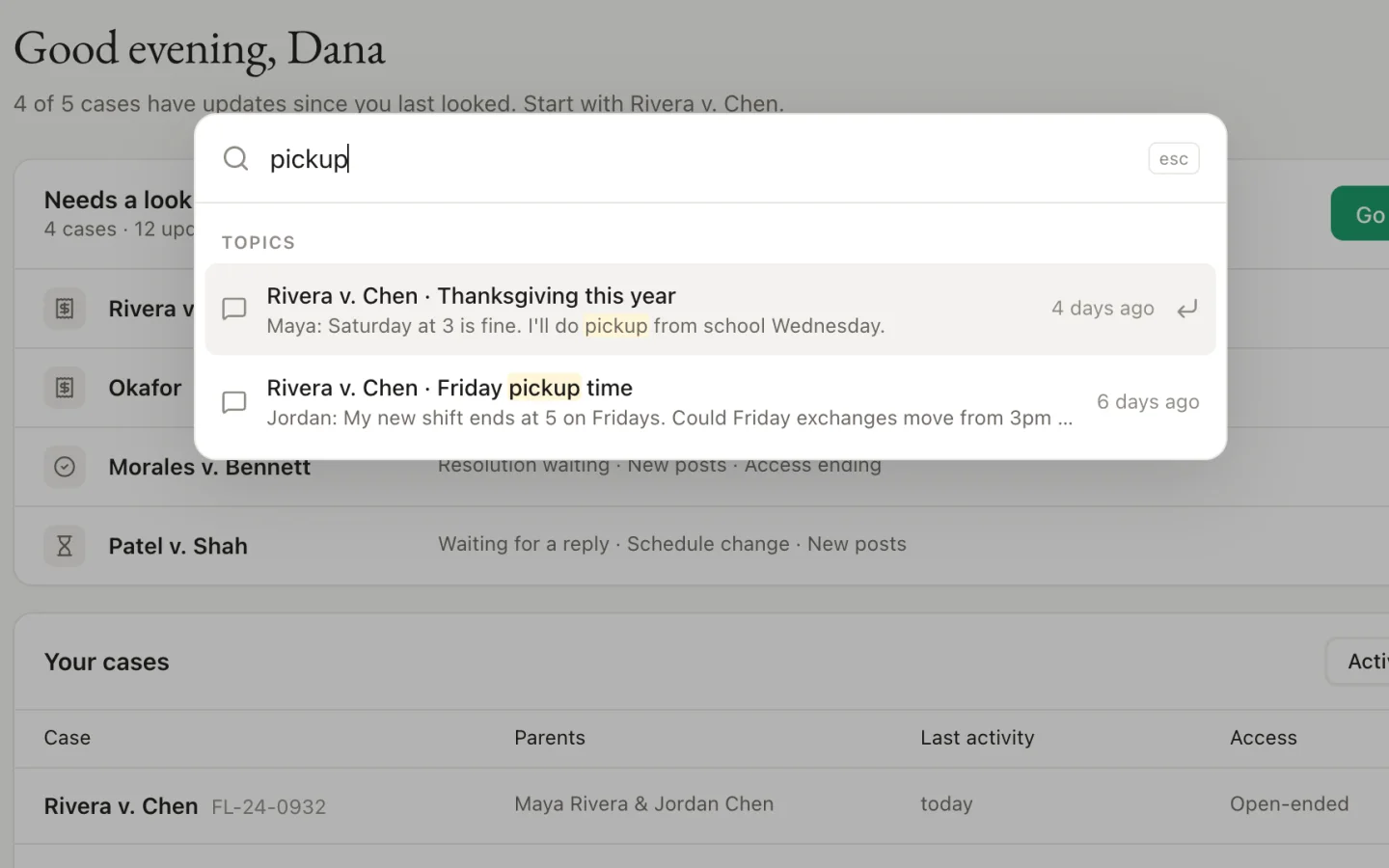
Find it in every case at once.
A family, a parent, a matter number or a word from months ago, from any page with ⌘K.
- Cases and messages in one search
- Past cases too
[03] Access, on purpose
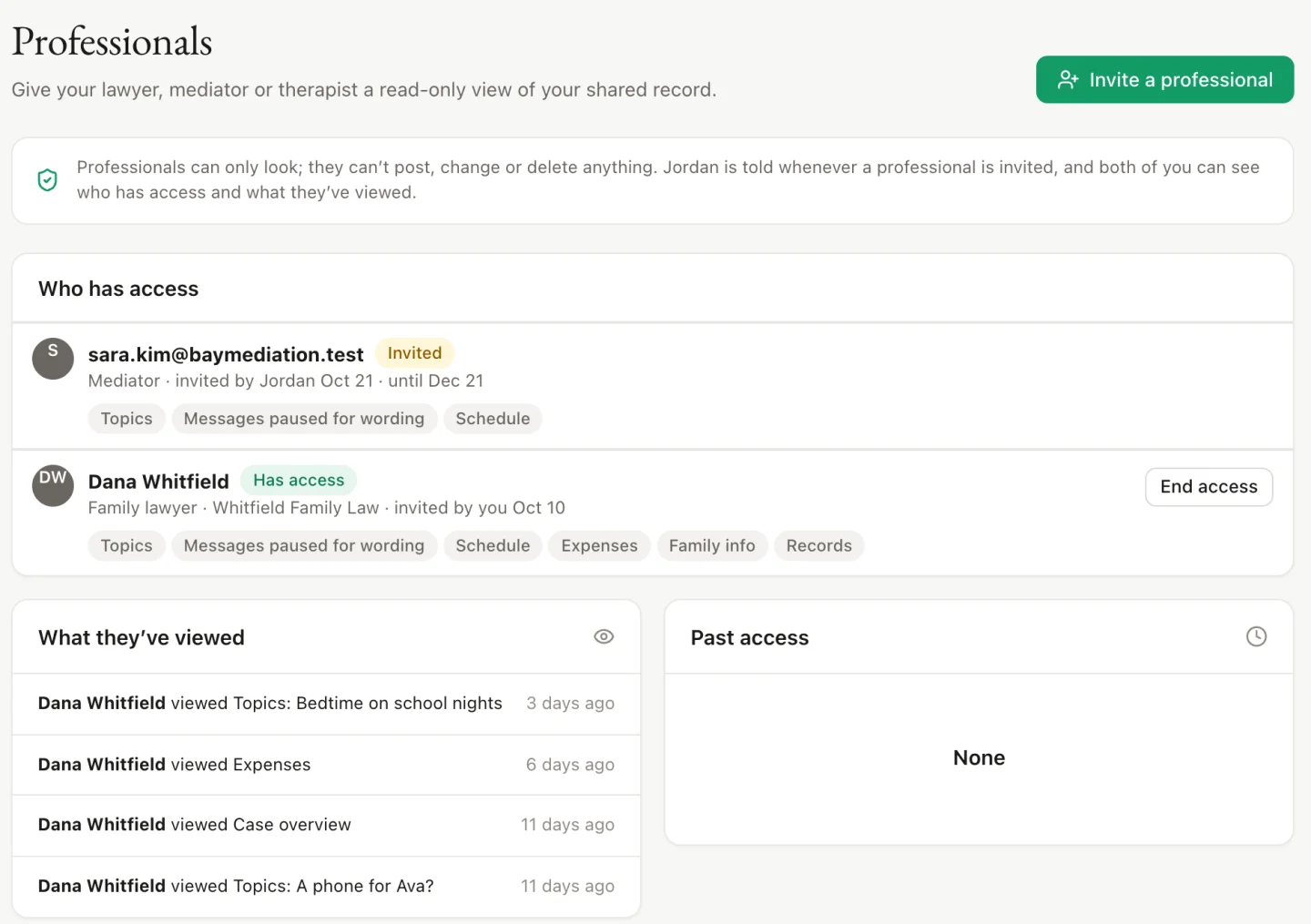
Parents decide what you see. Both of them can see that you did.
Deliberate, visible access is what makes the record easy for everyone in the case to trust.
Area by area
Each area shared separately, with an optional end date.
The co-parent is told
When you're invited, when access changes, and when a parent ends it. If you're a mediator or parenting coordinator, either parent can end your access.
Read-only, always
You can't post, change or delete anything.
Your file stays yours
When access ends, you keep a read-only copy and your private notes.
[04] Getting started
Free for every professional.
No seats, per-case fees or contract. Families pay for their own subscription, one for both parents. Clearly never pays licensed professionals for referrals.
Create your account
Your name, role and practice. About two minutes.
Invite a family
Invite a client from your Dashboard, or have them invite you. Nothing is shared until a parent says so.
Open the case
Accept, and the family appears on your Dashboard.
[05] Anywhere
At your desk, or in the hallway before a hearing.
Any browser, on a laptop, tablet or phone. Families use Clearly on iPhone or the web, with the same record either way.
Coming from OurFamilyWizard or another app? Families can bring their message reports, calendar and contacts with them. How switching works
[06] Neutral by design
A record you can rely on, and nothing more.
Clearly records what happened and when. The judgment is yours.
The record
- Nothing can be edited or deleted once posted
- Agreed only when both parents accept the same words
- Silence is never treated as agreement
- Every exported document can be checked at getclearly.app/verify
Clearly doesn't
- Score, rank or rate either parent
- Decide fault or interpret messages
- Give legal advice
[07] Questions
Common questions.
Is it really free for professionals?
Yes. Professional accounts are free, with no limit on cases. Families pay for their own Clearly subscription, and one subscription covers both parents.
What can I see in a family's record?
Only the areas the inviting parent chooses: topics and replies, the schedule, expenses, family info, records to export, and how often Clearly paused a message to suggest clearer wording. Access is always read-only, and it can have an end date.
Does the other parent know I have access?
Yes. The other parent is told when a professional is invited, when what they can see changes, and when a parent ends access. Access with an end date stops on that date. Both parents can see who has access and every part of the record each professional opened, including their dashboard and searches.
Why is an area of a case greyed out?
The parent who shared the case hasn't shared that area with you. Parents choose each area on its own: topics, the schedule, expenses, family info and records. To see it, ask that parent to turn it on in Clearly, under Professionals on the web or Settings › Professionals on iPhone, then Change access. You'll see it as soon as they save, and the other parent is told what changed.
What happens when my access ends?
You keep a read-only copy of what you could see up to that moment, for your case file, along with your private notes. Nothing added to the family's record afterwards reaches it.
Can I invite my clients to Clearly?
Yes. Invite a family from your Dashboard by email, and resend, change or withdraw the invitation from Settings. Nothing is shared with you until a parent chooses to.
Can these records be used as evidence?
Clearly produces time-stamped records of communication, kept as written, with a document ID and page number on every page that anyone can check at getclearly.app/verify. Whether a court accepts any document depends on the jurisdiction, the case and the court. Clearly provides the record; evidentiary decisions belong to the court and counsel.
How can a court check that a record is genuine?
Every Clearly record and exhibit has a document ID on every page and a QR code on its cover. Anyone can scan the code or drop the PDF into getclearly.app/verify: Clearly confirms it produced that exact file and that nothing in it has changed since. The file is checked in the browser and never uploaded.
Does Clearly analyze or score either parent?
No. Clearly records what was communicated and when. When a message needs it, Clearly suggests clearer wording to the person writing, before they post, and they choose what to send.
Does Clearly pay referral fees?
No. Clearly never pays licensed professionals for referrals, and families are told so.
Clearly
See your caseload clearly, starting today.
Two minutes to set up. Then invite your first family.
Questions about using Clearly in your practice? hello@getclearly.app